plexa
Get the launcher

The Plexa launcher.

Every Plexa game, your friends and your Plexa ID in one window, with a Play button that checks everything first.
Get the launcherVersion Released Windows 10 and 11, 64-bit
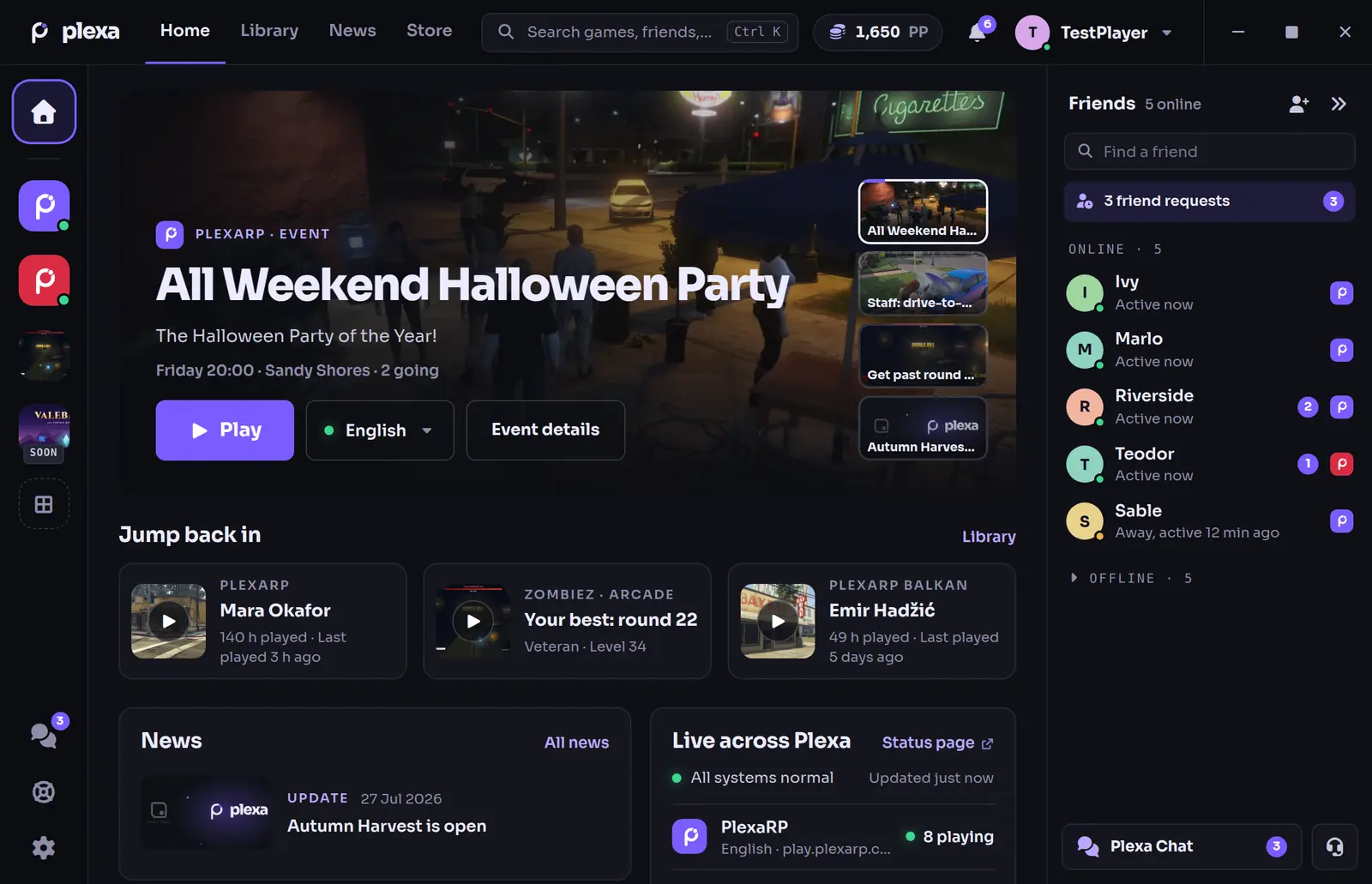
The Plexa launcher Home screen: the game rail on the left, an event with a Play button, Jump back in, news, live server status and the friends list on the right
Home in version 0.10.0, shown with a test account.

Every game, one window

Home, Library, News and Store along the top. Your games down the left, each showing whether its server is up. Your friends on the right.

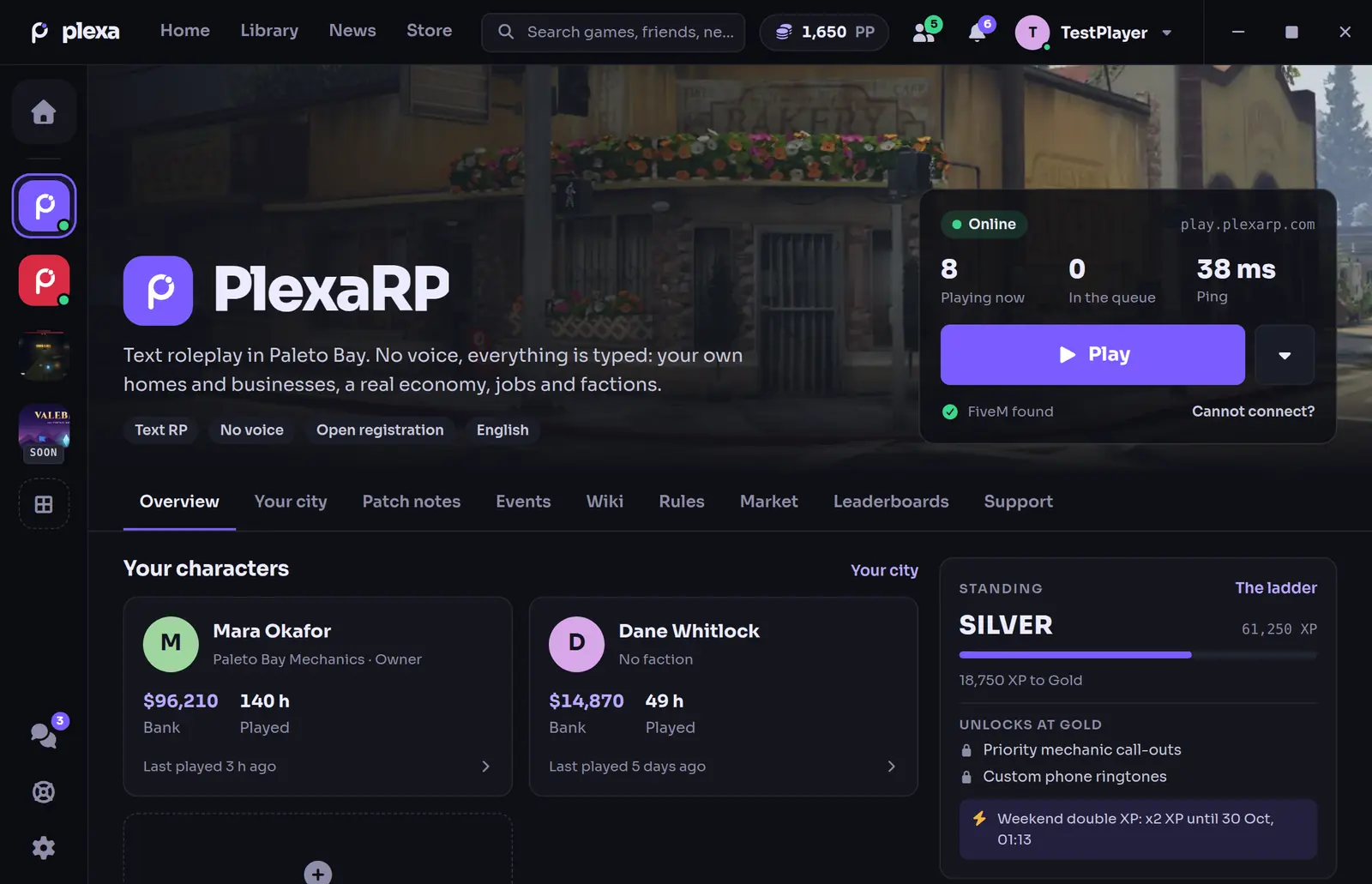
The PlexaRP page in the launcher: player count, ping and Play, the tabs, two characters and the standing ladder

A page for each game

PlexaRP shows the player count and your ping next to Play, your characters, today's tasks, your standing, patch notes and the next events. Your city, Wiki, Rules, Market, Leaderboards and Support are one tab away.
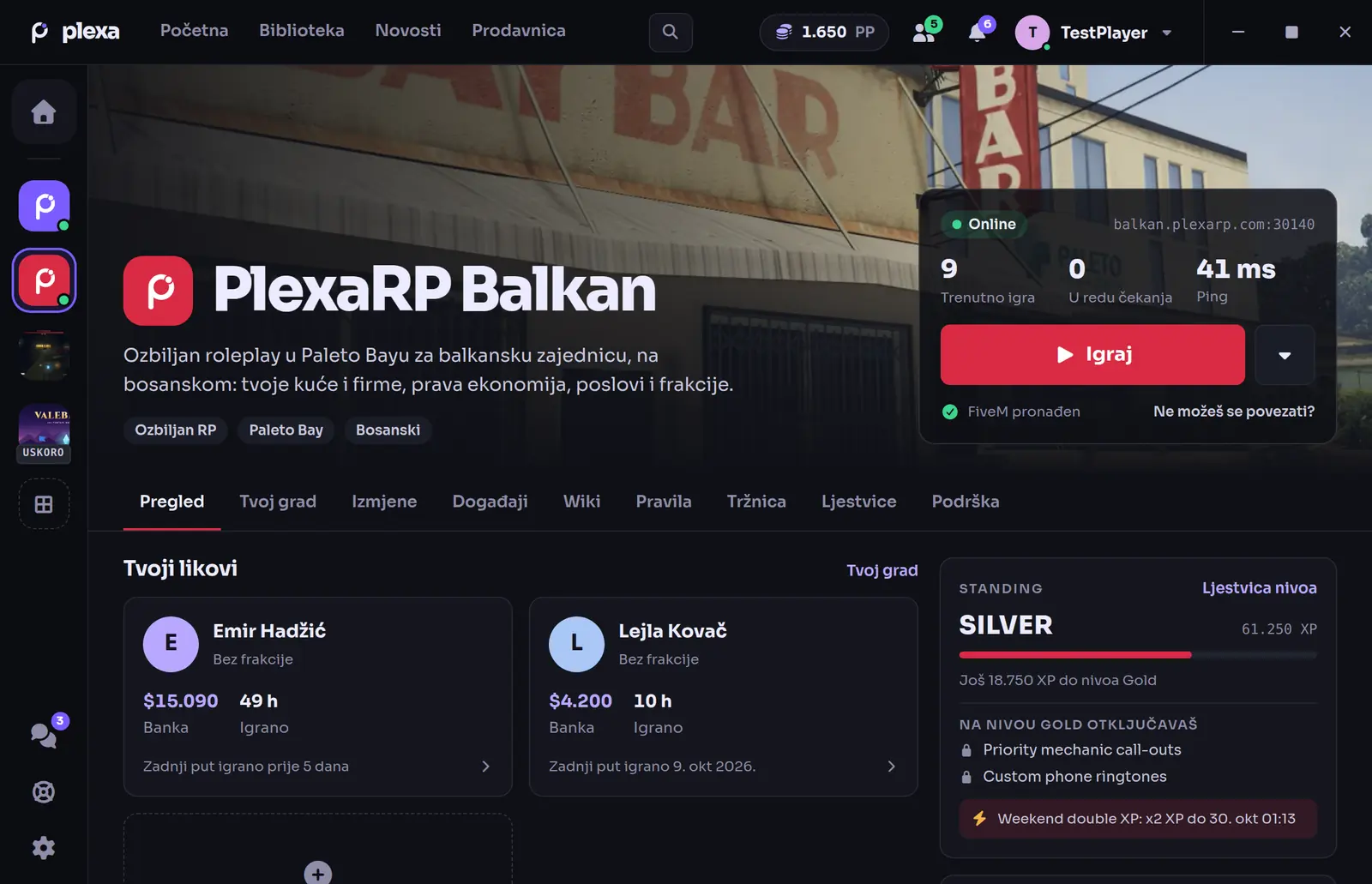
The PlexaRP Balkan page in red, in Bosnian, with its own Play button

Balkan in its own colours

Pick PlexaRP Balkan in the left bar and the page, its art and its colours switch to Balkan. The whole launcher speaks Bosnian too.
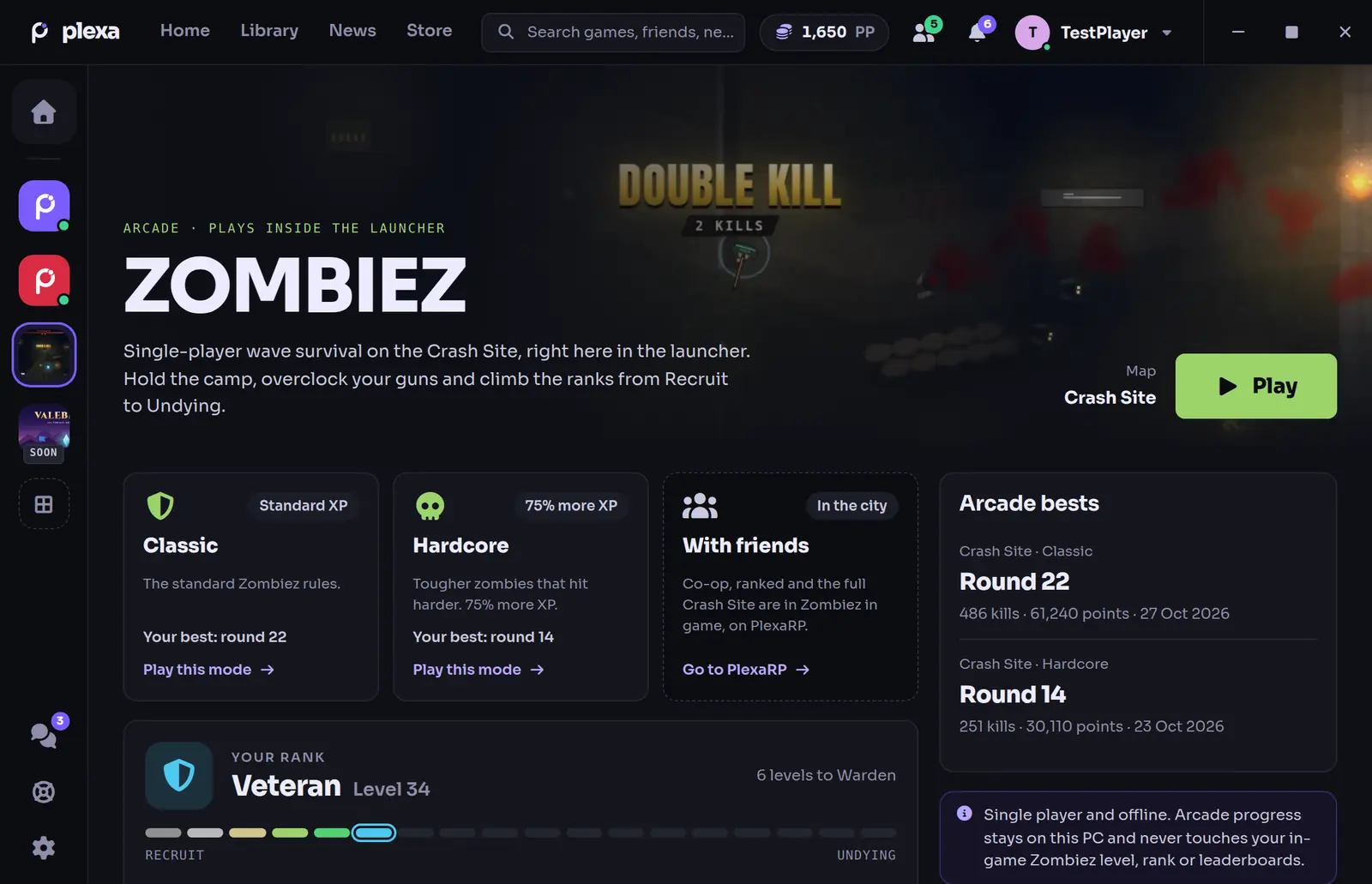
The Zombiez page: Classic and Hardcore mode cards, arcade bests and the rank ladder from Recruit to Undying

Zombiez, right in the launcher

Single-player wave survival on the Crash Site, with your arcade rank, bests and stats. It runs inside the launcher with no FiveM needed, and its progress stays on your PC.
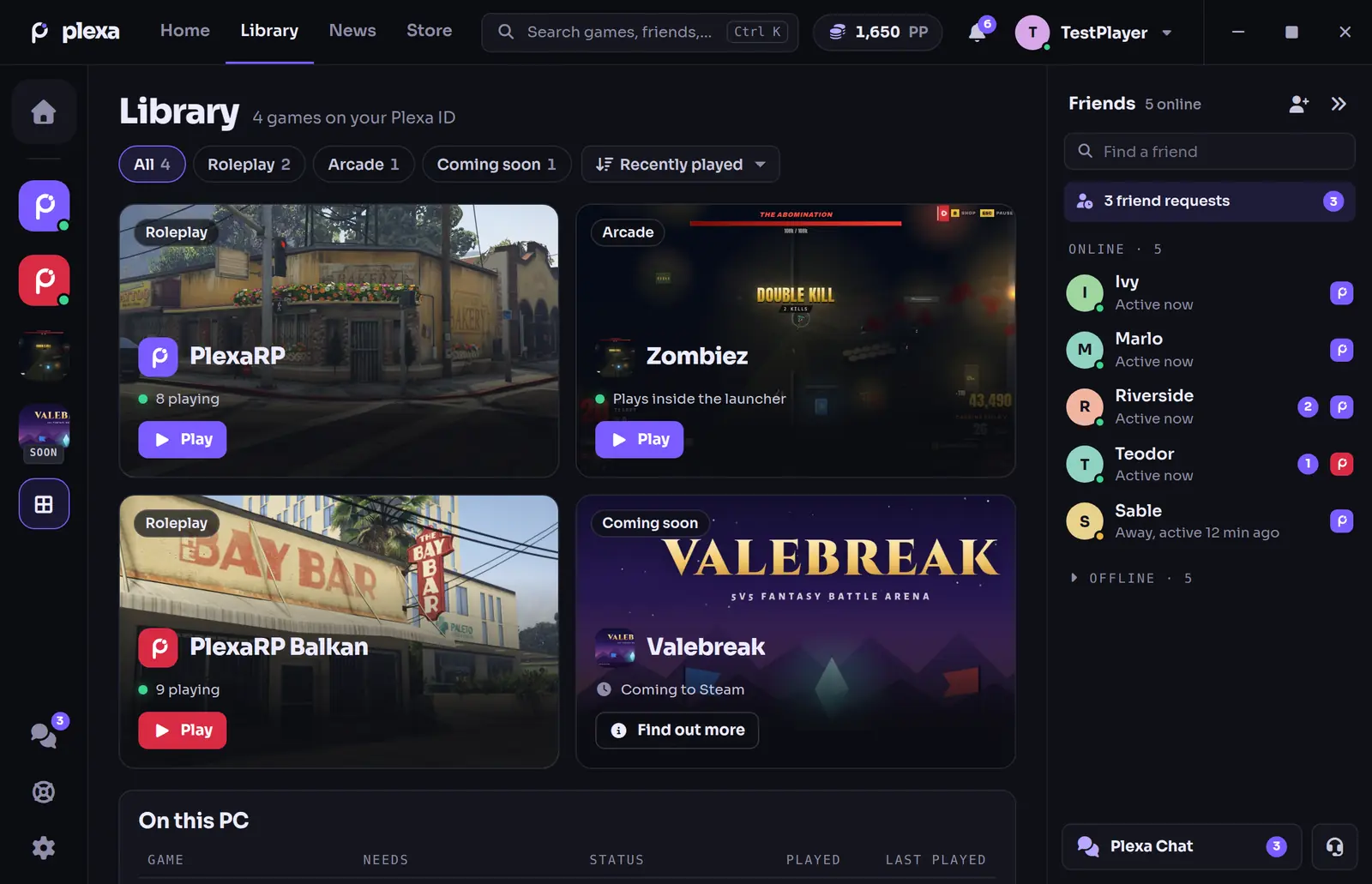
The Library: PlexaRP, Zombiez, PlexaRP Balkan and Valebreak as cards with Play buttons

Your library

Every game as a card you can filter and sort, plus On this PC: whether FiveM is found, and how long and how recently you played.

Press Play. It checks the rest.

Before FiveM opens, the launcher shows every step. If something is wrong, it says what and what to do, with Try again.

  1. The launcher is up to date
  2. FiveM is found on your PC
  3. The server answers, with your ping
  4. FiveM starts
  5. You join, and when you are signed in it tells you once you are in the city

Play from the tray menu still starts FiveM straight away, without the checks.
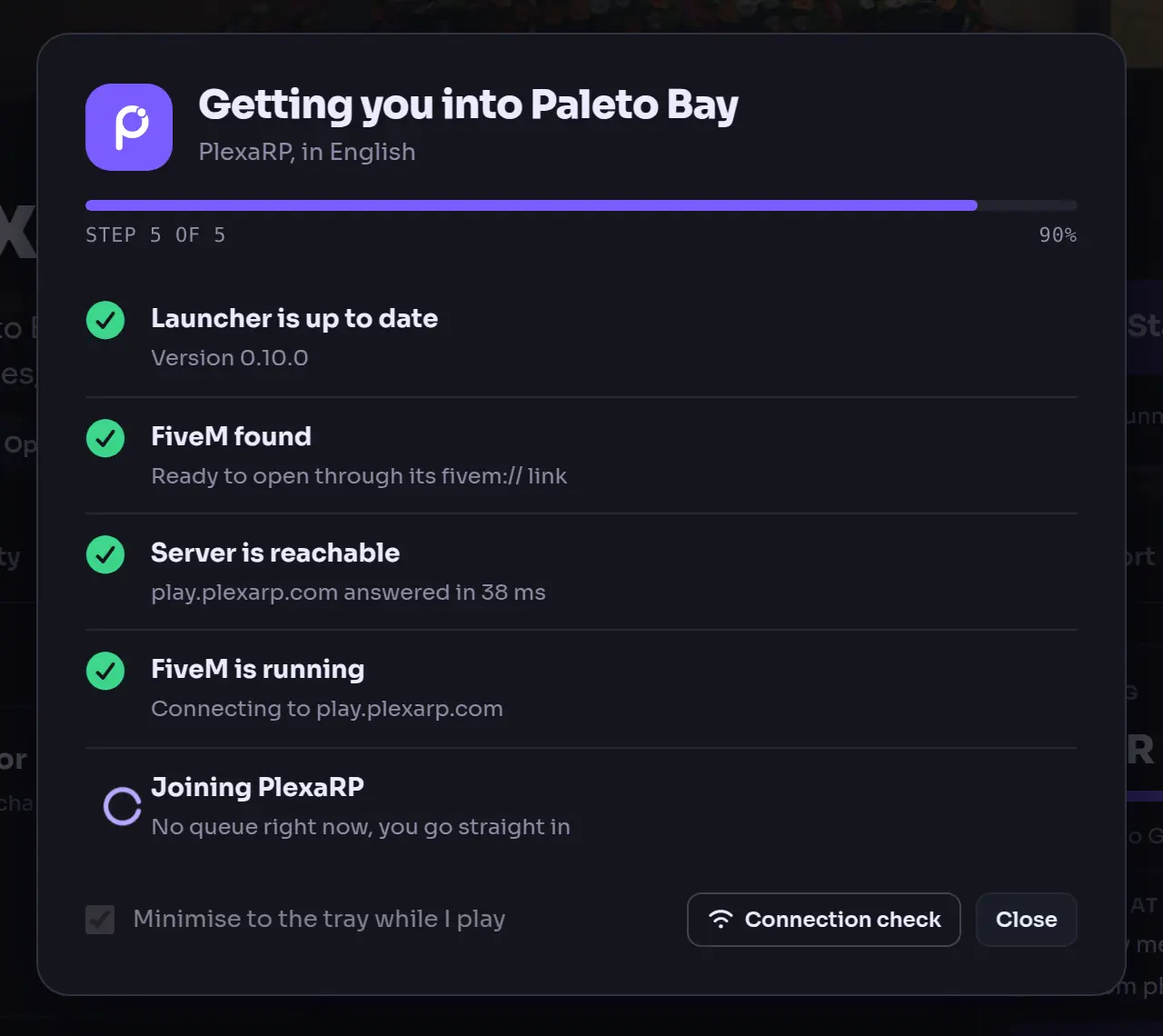
The launch checks over the PlexaRP page: launcher up to date, FiveM found, server reachable in 38 ms, FiveM running, joining PlexaRP
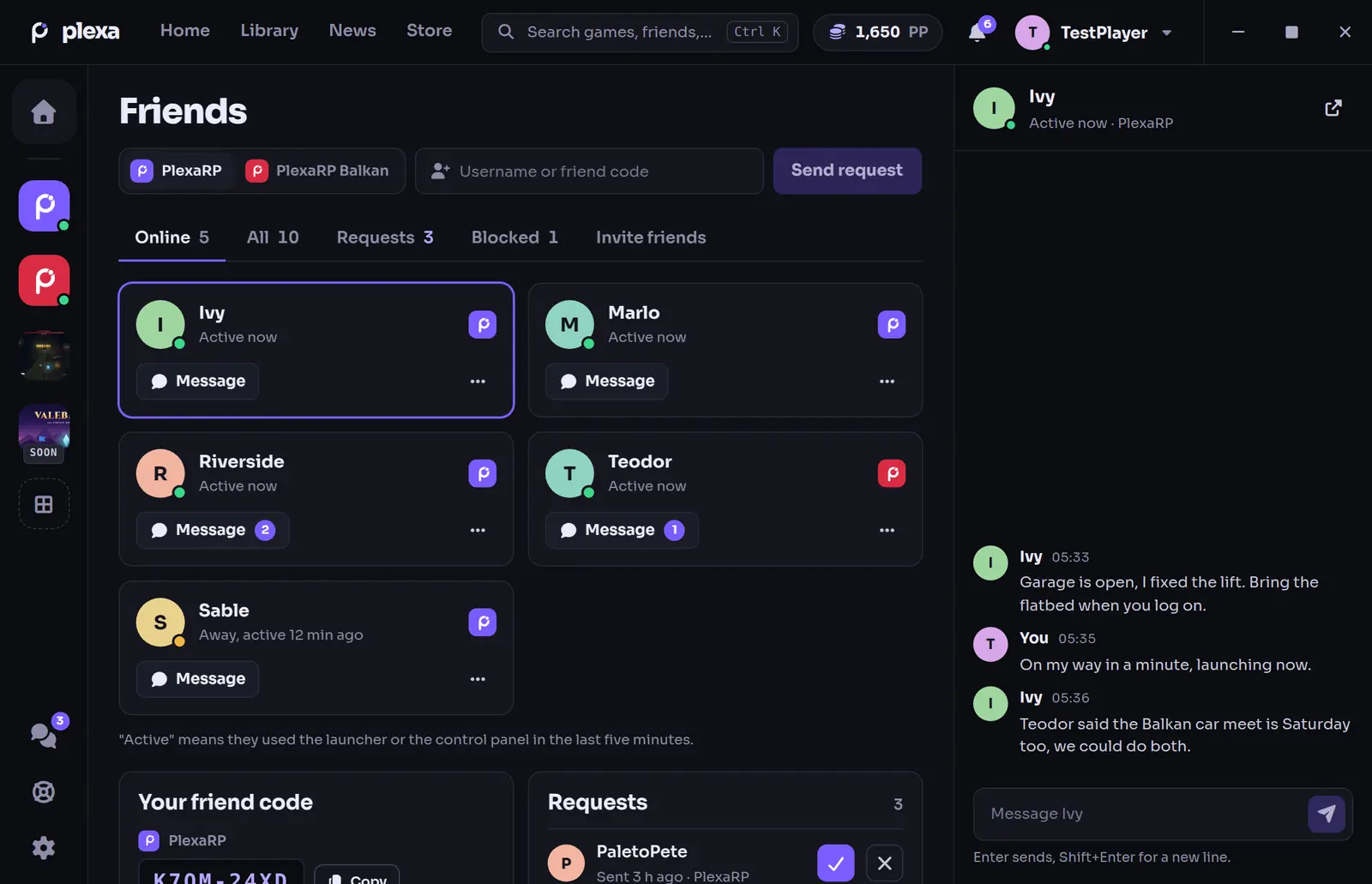
The Friends page: friends online with Message buttons, the friend code box and a conversation on the right

Your friends, on every screen

The friends list sits beside Home, Library, Store and News: who is online, away or busy, friend requests and unread messages. Click a friend to talk.

  • Add people by username or friend code
  • Requests and blocking in one place
  • Your conversation open beside the list
  • Hide the list and the top bar still shows how many are online

For now friends show as online, away, busy or offline. Showing who is playing PlexaRP arrives once the control panel sends it.

Everything else it does

  • Notifications while you playA text, a call or a message in the city while you are tabbed out brings a Windows notification with its own ping. Message text only shows if you turn previews on.
  • Plexa IDBadges, play time across the games, Plexa Points with your latest changes, and how your account is protected.
  • StoreYour PlexaRP+ status and what Plexa Points buy in the city. Buying happens in game with /ppstore: the launcher never takes payments.
  • Your character's phoneCalls to your character ring in the launcher while they are out of the city. Answer, text, check voicemail or place a Weazel advert.
  • Approve sign-insSigning in to the control panel or the game? Approve it here by picking the number the sign-in screen shows, after Windows Hello if you use it.
  • Vehicles and the showroomOrder from the dealership, insure, pay off finance, have a car towed and plan a build for a player workshop.
  • Your city accountCharacters, standing, properties, money, fines and bills, inventory and your public profile, without a browser.
  • Help when you need itSupport tickets, appeals, bug reports, the help centre and a connection check that finds out why FiveM cannot connect.
  • Discord presenceYour Discord profile shows whether you are in the launcher, joining or playing, on which server and for how long. Your character only shows if you turn that on.
  • Works offlineEvery screen keeps its last copy, so your characters and the news stay readable without a connection.
  • English and BosnianEvery screen in both languages. Switch in Settings or on the first screen.
  • EventsThe city's events calendar with Going and Interested, reminders, and reviews of past events.
Security

What it does on your PC

Updates carry our signature, your sign-in lives in Windows Credential Manager, and the anti-cheat only looks at program names and window titles.

Updates

  1. Checks for a new versionWhen it starts, then every 30 minutes. Failed checks try again by themselves.
  2. Downloads in the backgroundYou see what is new before and after updating.
  3. Checks our signatureAn update that is not signed with our key is refused.
  4. Installs when it is safeThe next time you open the launcher, or now with Restart to update. Never while FiveM is running.
  5. Security releases come firstA release marked as required is installed before you can play.

Your account and data

  • Your password only goes to our control panel, over HTTPS. The launcher keeps a sign-in token in Windows Credential Manager, and it expires after 30 days without use.
  • It only talks to our own servers, over HTTPS.
  • Password, e-mail and two-step changes, deleting your account and payments open on the control panel in your browser, never in the launcher.
  • It never shows or keeps ATM PINs, phone passcodes or other secrets.

The anti-cheat, plainly

  • While FiveM runs, it compares the names of running programs and visible window titles with a list of known cheat tools.
  • It does not read your files, your screen, your keystrokes or FiveM's memory, and it loads no kernel driver.
  • A match sends one report: what matched, a hashed device ID, the launcher version and the time. A person reviews it before anything happens to an account.
Software Policy
Free for Windows

Download the launcher

One installer for your Windows user only, so it never asks for administrator rights.

Version
Released
System
Windows 10 and 1164-bit
Languages
English and Bosnian

What you need

  • Windows 10 or 11, 64-bit. FiveM only runs on Windows, so there is no Mac or Linux version.
  • For PlexaRP and PlexaRP Balkan: Grand Theft Auto V for PC and FiveM, installed already.
  • For Zombiez: nothing else. It runs inside the launcher, even without an account.
  • A Plexa ID for your account, friends and Plexa Points. Balkan players sign in with their Balkan account for now.
  • Microsoft Edge WebView2, which the installer fetches if it is missing.

Installing it

  1. Press Get the launcher and save Plexa-Launcher-Setup.exe.
  2. Open it. It installs for your Windows user only, and fetches WebView2 if it is missing.
  3. If SmartScreen warns you, choose More info, then Run anyway.
  4. Sign in, pick a game and press Play.

Why SmartScreen may warn you

SmartScreen warns about programs it has not seen often, and about installers without a paid code-signing certificate, which ours does not have yet. Choose More info, then Run anyway. If you would rather be sure first, check the file below.

Check the file yourself

Every release is signed with our Ed25519 update key (minisign), the same signature the launcher checks before it installs an update. Download the signature file, then on Windows:

certutil -decode Plexa-Launcher-Setup.exe.sig launcher.minisig
minisign -Vm Plexa-Launcher-Setup.exe -x launcher.minisig -P RWTqK/QVjGg2vJMjhGkyVuJbKrnoSTBB44EMmtN8uRG6QdflYAkMIXC2

"Signature and comment signature verified" means the file is ours and unchanged.

Public key ID BC36688C15F42BEA

What is new

Every release since the launcher was rebuilt. The launcher shows the full notes before and after it updates.

0.10.0Latest
  • A new layoutA top bar with Home, Library, News and Store, search, your Plexa Points, notifications and your profile; one tile per game down the left; your friends on the right.
  • HomeWhat is on now (the next event, the latest patch notes, your Zombiez best and the newest post), your characters to jump back in as, news and whether the servers are up.
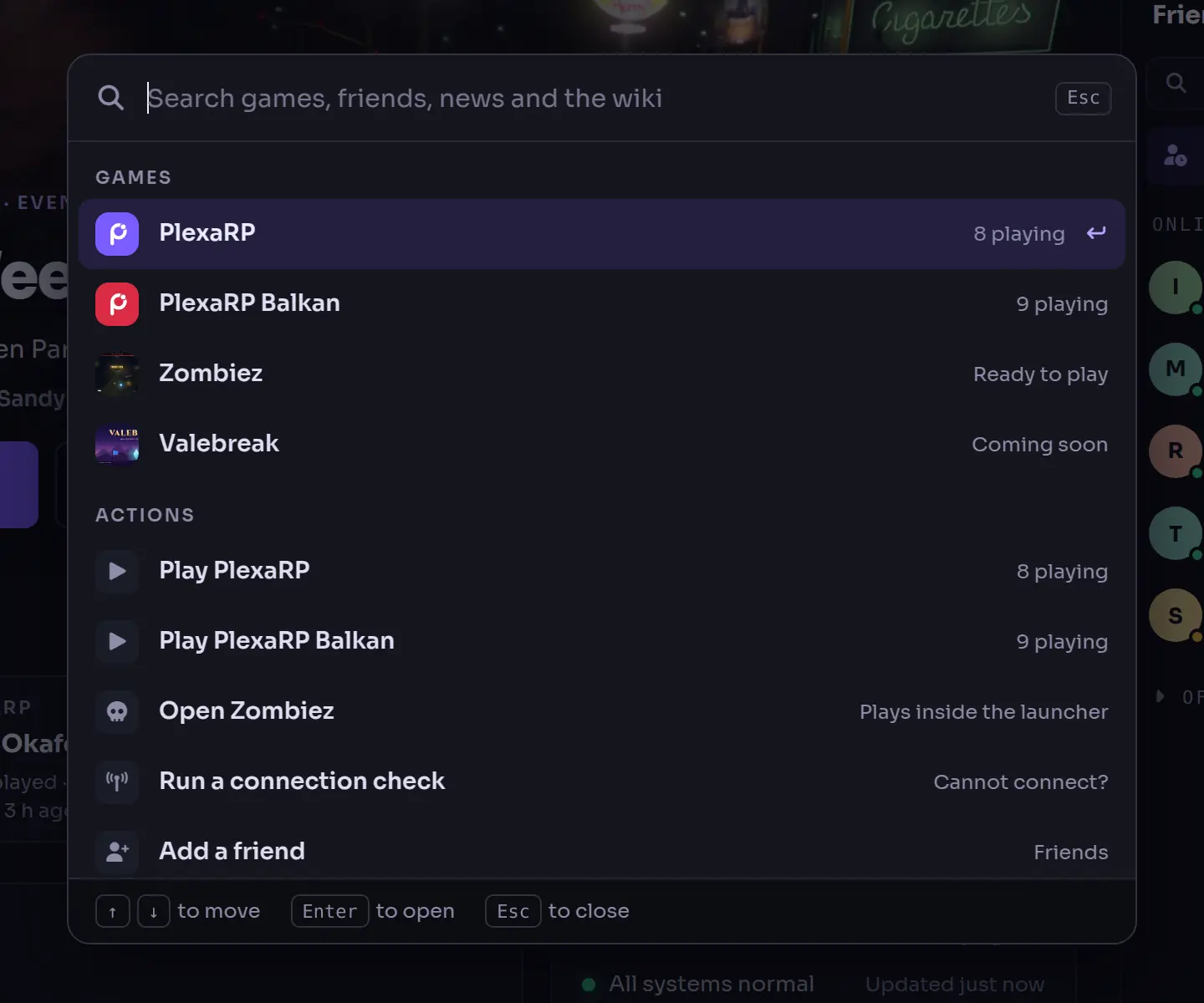
  • Search with Ctrl KGames, screens, friends and the wiki, plus quick actions.
  • LibraryYour games as cards, and On this PC.
  • A page for each gamePlexaRP and PlexaRP Balkan, Zombiez with your arcade rank, and Valebreak for when there is news.
  • Friends, rebuiltPresence, requests, unread messages and a conversation alongside.
  • Plexa IDBadges, play time, Plexa Points and the state of your sign-in security.
  • StorePlexaRP+ status and Plexa Points items. Buying happens in game.
  • Play checksEvery step before you join, with Try again.

Your English and Balkan accounts are still separate; Plexa ID shows the one for the server you have picked.

  1. 0.9.0: The launcher becomes Plexa

    Graphite and violet, the Sora typeface, the Plexa mark and a new icon. Roleplay Project became PlexaRP.

  2. 0.8.0: Chat in the launcher

    The PlexaRP and PlexaRP Balkan Discord channels inside the launcher, with replies, reactions and a notification when someone mentions you.

  3. 0.7.0: Vehicles

    Order from the dealership catalogue, insure, pay off finance, tow, lend keys and plan builds for a player workshop.

  4. 0.6.0: Sign-in approvals and the phone

    Approve control panel and game sign-ins from the launcher, and use your character's phone while they are out of the city.

  5. 0.5.0: Zombiez arcade and notifications

    Zombiez on your PC, Windows notifications while you are tabbed out, and your profile, in-game settings and attachments editable in the launcher.

  6. 0.4.0: Automatic updates

    Background updates, your whole account, the wiki, rules and market, help and support, and Discord presence.

  7. 0.3.0: Rebuilt

    Rebuilt on current Tauri, Vue and Rust: both servers side by side, Bosnian, offline copies and a hardened security model.

Questions

Is it free?

Yes. The launcher is free, and so is playing on PlexaRP. PlexaRP+ is an optional subscription that you manage on the control panel.

Do I need the launcher to play PlexaRP?

No. You can still connect from FiveM directly. The launcher puts your games, your account, your friends and support in one place.

Is there a Mac or Linux version?

No. FiveM itself only runs on Windows, so the launcher is Windows-only.

Why does Windows SmartScreen warn me?

Because the installer is not signed with a Windows code-signing certificate yet, and SmartScreen warns about programs it has not seen often. Choose More info, then Run anyway, or check the signature first: the steps are in the download section above.

Does it have an anti-cheat?

Yes, a light one. While FiveM is running it compares the names of running programs and window titles with a fixed list of known cheat tools. It does not read your files, your screen or FiveM's memory. If something matches, it sends us what matched and a hashed device ID.

The Software Policy explains exactly what it checks and sends.

Is my password stored on my PC?

No. Your password is only sent to our control panel over HTTPS. The launcher keeps a sign-in token in Windows Credential Manager, and it expires after 30 days without use.

Can I buy things in the launcher?

No. The Store shows your PlexaRP+ status and what Plexa Points buy in the city. Plexa Points items are bought in game with /ppstore, and PlexaRP+ is managed on the control panel. The launcher never takes payments.

Are my English and Balkan accounts one account now?

Not yet. They are still separate, and the Plexa ID screen shows the one for the server you have picked.

Every account you hold with us is going to become one Plexa ID, and we will e-mail you before that happens. More about Plexa ID.

Does Zombiez arcade count towards my in-game Zombiez stats?

No. The arcade is single player and offline. Arcade levels, Bones and bests stay on your PC and never touch your in-game Zombiez profile, rank or leaderboards.

Will notifications show my messages on screen?

Only if you want them to. By default a notification just says who it is from; turn on previews to see the text. You choose when they appear and which kinds you get, and there is Do not disturb and quiet hours.

Everything in one window.

Free for Windows 10 and 11. It keeps itself up to date.